
Check retail acceptance at the terminal
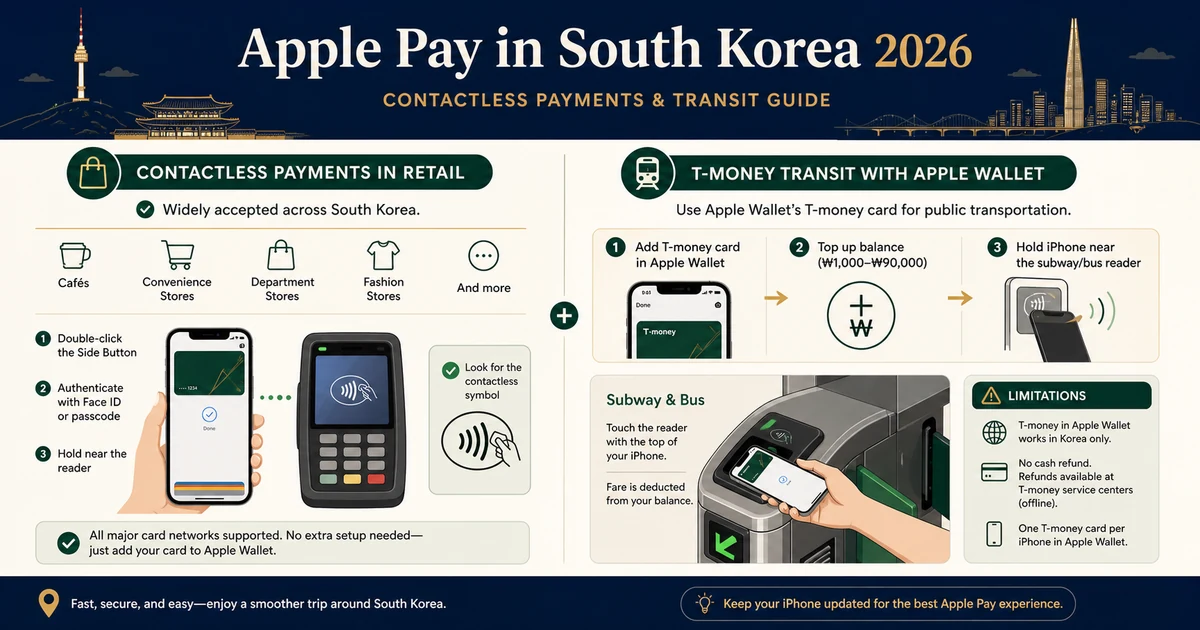
Apple Pay works where the merchant and NFC terminal support the service and your card issuer allows the transaction. Convenience stores, major chains and department-store groups may support it, but individual franchise equipment can differ. Look for the Apple Pay or contactless mark and carry a physical chip card as backup.
Use the updated transit option
Since July 2025, compatible iPhone and Apple Watch users can add prepaid T-money to Apple Wallet and tap at supported Korean transit gates using Express Mode. This corrects older advice that all Apple Pay transit taps fail. Device, operating-system and regional-wallet requirements apply, and some intercity buses or taxis may be excluded.
Understand the funding limitation
Apple states that adding or automatically reloading T-money in Apple Wallet requires a credit or debit card issued in Korea. A foreign-issued Apple Pay card may work at a retail merchant yet fail to fund the transit card. Travelers without a supported funding method should carry a physical T-money card and Korean won.
Use the merchant finder
Choose retail category and transit need. The widget gives a likely route and backup, not a live merchant guarantee. Ask at checkout before relying on a phone-only wallet, keep the battery charged, and verify the current Apple and T-money conditions shortly before travel.
Verification checklist
- Use the official source: check the linked provider again shortly before travel because eligibility, prices and operating rules can change.
- Keep a backup: save confirmations and screenshots offline, and carry a second payment, transport or safety option.
- Stop when uncertain: ask the responsible operator instead of repeatedly retrying a payment, booking or security process.
Official sources
Time-sensitive details were checked against the original sources below on 2026-08-30.