
Korea emergency alerts for foreign tourists: set up Emergency Ready before you go
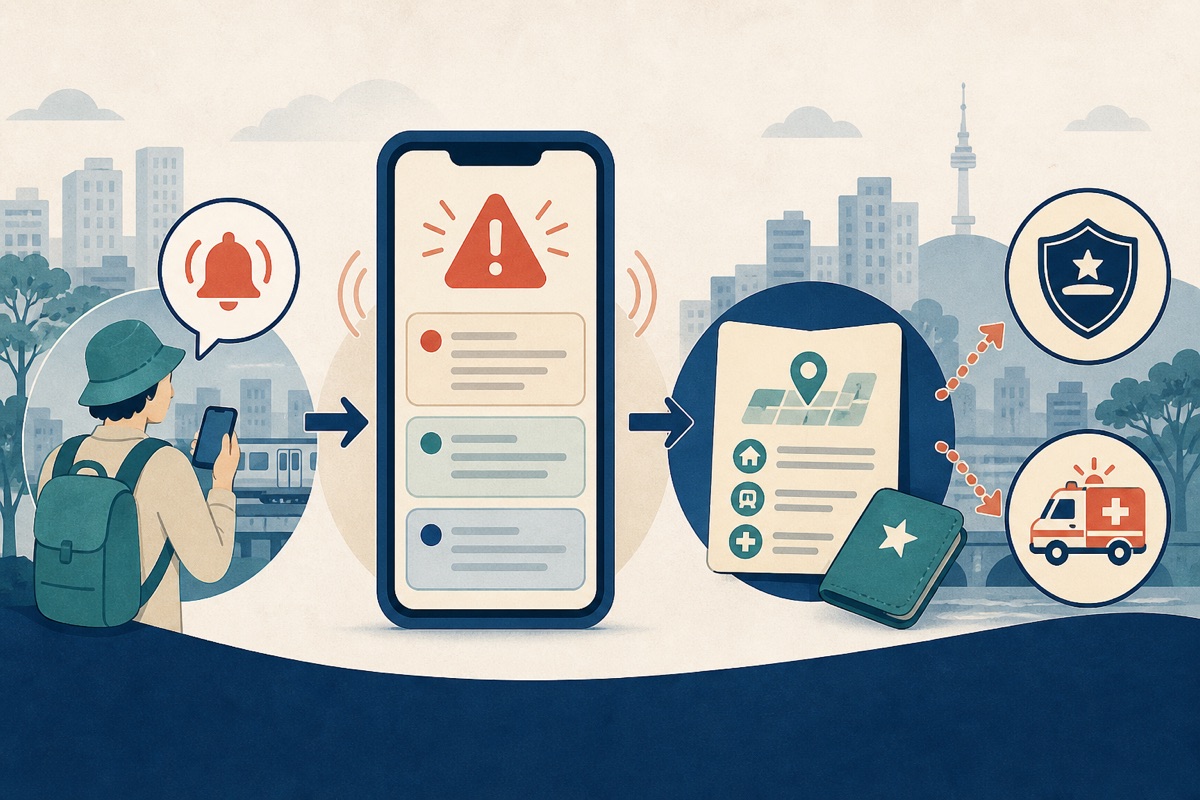
The short version
- Install Emergency Ready from the store links reached through the current official VISITKOREA safety page.
- Allow notifications and review location access. Confirm the app language rather than assuming it follows your phone.
- Read an alert's affected place, time and requested action before changing your route.
- Keep a second information path: hotel staff, transport-operator notices and official local instructions.
- Do not wait for an app translation in immediate danger—call 112 or 119.
Official download links
The Korea Tourism Organization's current visitor-safety page links to Emergency Ready for Android and Emergency Ready for iPhone. The iPhone record identified the provider as the Ministry of the Interior and Safety of Korea when checked on August 25, 2026.
Set it up before arrival
1. Install and open it on reliable internet
Do this before a travel day, not during a warning. Open the app once so it can complete setup and show permission prompts. An app that was downloaded but never opened may not be ready when you need it.
2. Confirm your language inside the app
The Ministry of the Interior and Safety's June 2026 campaign describes emergency alerts in 22 languages. Do not treat that number as a permanent promise for every device: open settings and confirm the language you can read fastest under stress in your installed version.
3. Allow notifications
MOIS setup instructions tell users to allow notifications. Check both the in-app prompt and the phone's system settings. Focus, Do Not Disturb and battery-saving rules can suppress an alert even when an app appears installed correctly.
No app can guarantee immediate delivery in every network, device or server condition. Notification permission improves your chance of receiving an alert; it is not an emergency-service guarantee.
4. Decide how to use location
Location can support nearby shelter or facility information and help you identify where you are. Grant only the access you are comfortable with and review the current privacy notice. If you decline, keep your hotel's Korean address and learn how to copy a map pin or coordinates.
5. Save essential information offline
- Your accommodation's Korean name, address and phone number
- The nearest station exit or major landmark
- 112 and 119
- Your passport name and local callback number, if available
- A contact who knows your itinerary
How to read a Korean emergency alert
Start with three questions:
- Where does it apply? Find the city, district, coastline, mountain, river or transport area named in the message.
- When does it apply? Check the event time and whether the message is an initial warning, update or cancellation.
- What action is requested? Separate general caution from a direction to avoid an area, move indoors or evacuate.
Do not travel toward an affected area to see what is happening. If an alert names your location but the instruction is unclear, use the app's safety guide, ask staffed accommodation or station personnel and follow official directions. During an evacuation, prioritize the stated route or shelter over your itinerary.
Machine translation can mishandle district names, technical terms and negation. Compare the translation with the place and time, and use a second official or staffed source when the consequence is significant.
When to call instead of reading
Call 112 for an immediate police need involving crime, threat or danger to property. Call 119 for fire, ambulance, rescue or an immediate medical emergency. KTO guidance says a caller who does not speak Korean can say “English please” or “Interpreter please.”
Give location first: city and district; hotel, building, station or landmark; floor, room, gate or exit; what is happening; and your callback number. For example: “English please. I am at Seoul Station, Exit 1, outside the main entrance. There is smoke in the building.” Stay on the line unless the operator tells you to disconnect.
Emergency Ready, 112/119 and 1330 are different
| Channel | Best use | Not a substitute for |
|---|---|---|
| Emergency Ready | Multilingual alerts, safety guidance and available shelter or facility information | Guaranteed emergency dispatch |
| 112 | Immediate police help | General tourist information |
| 119 | Fire, ambulance and rescue | Routine clinic enquiries |
| 1330 | Tourism information and interpretation support | Emergency dispatch |
In immediate danger, call 112 or 119 first. The 1330 Korea Travel Helpline is a useful non-emergency visitor channel.
Use more than one information channel
- Listen to hotel, airport, station, venue and attraction staff.
- Check official transport-operator notices before moving during severe weather.
- Follow police, fire and local-government directions at the scene.
- Carry a charged power bank and agree on a meeting point with companions.
Do not rely on an unverified social post for an evacuation route, shelter opening or a claim that an alert has ended. It may be old, geographically irrelevant or missing a later correction.
Why official pages can appear to disagree
An October 2025 VISITKOREA page describes a 14-language, offline-mode version and says facility locations were not then available. MOIS's newer June 2026 campaign describes 22-language alerts and evacuation and public-medical-facility information. This likely reflects a newer app generation or rollout.
This guide therefore attributes current capability claims to the newer MOIS campaign without promising that every storefront or installed version is identical. Confirm the language and map layers on your own device.
Before-you-go checklist
- Installed through a link reached from an official KTO page
- Opened once and completed initial setup
- Language confirmed inside the app
- Notifications allowed in both app and phone settings
- Location choice reviewed
- Hotel address and nearest landmark saved in Korean
- 112 and 119 saved or memorized
- Power bank charged and companion meeting point agreed